

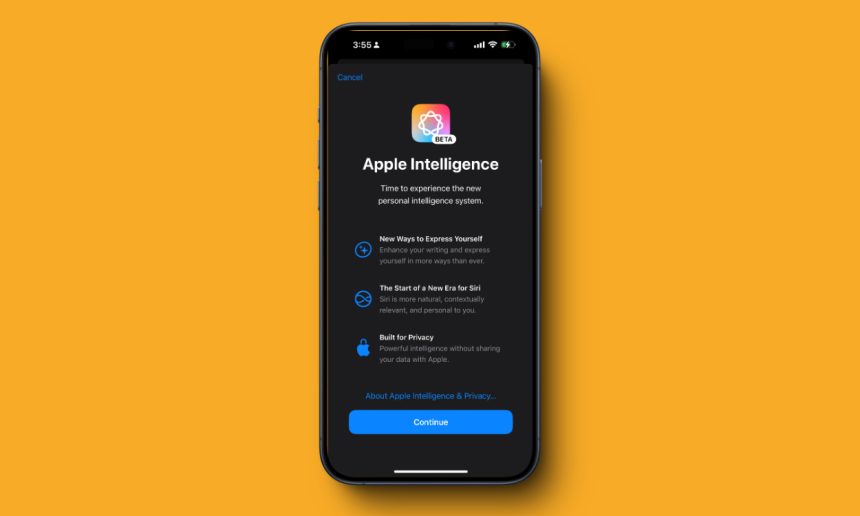
Apple Intelligence は iOS 18.1 ベータ版のユーザーに展開されていますが、誰もがアクセスできるわけではありません。Apple の AI 機能はまだベータ版であり、Apple Intelligence 機能を入手するには待機リストに参加する必要があります。これらの AI 機能を試してみたい場合は、iPhone、iPad、Mac で Apple Intelligence 待機リストに参加する方法を次に示します。
Contents
Apple Intelligence の待機リストの前提条件
- Apple Intelligence 対応デバイスが必要です。
- デバイスは iOS 18.1、iPadOS 18.1、または macOS 15.1 Sequoia を実行している必要があります。(iOS 18 ベータ版のインストール方法はこちら)
- 米国以外にお住まいの場合は、「設定」>「一般」>「言語と地域」にアクセスし、「地域と言語」をそれぞれ「米国」と「英語(米国)」に設定して、Apple Intelligence 機能にアクセスしてください。

- 言語と地域を変更した後でも Apple Intelligence & Siri オプションが利用できない場合は、Siri の言語も英語 (米国) に設定してください。
前提条件を満たしたら、Apple Intelligence の待機リストに参加する方法を説明します。
Apple Intelligence の待機リストに参加する
- 設定アプリを開き、Apple Intelligence & Siriをタップします
- ここで、「待機リストに参加」をタップします。
- 「待機リストに参加しました」というメッセージが表示されます。

Apple Intelligence のウェイティングリストに参加するにはどのくらい時間がかかりますか
私の経験では、iPhone と Mac で Apple Intelligence の待機リストに参加するのに約 15 ~ 30 分かかりました。Apple Intelligence の待機リストの時間はそれほど長くありませんが、まれに 1 時間ほど待たなければならない場合もあります。また、待機リストは Apple アカウント固有ではなく、デバイス固有です。つまり、iPhone で Apple Intelligence の待機リストに参加した場合、同じ Apple ID でサインインしている場合でも、Mac と iPad で待機リストに申し込む必要があります。 
Apple Intelligence の承認が完了すると、承認通知が届き、ライティング ツール、クリーンアップ、Siri への入力、Web ページの要約などの Apple Intelligence 機能の使用を開始できます。


